


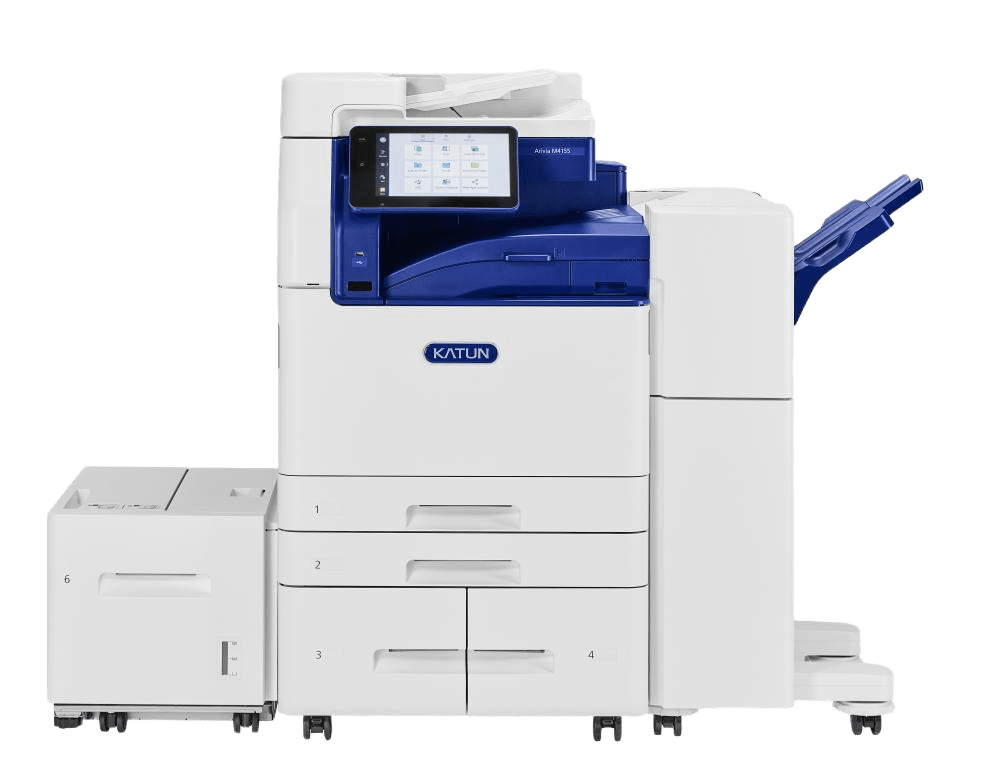
These wide-format printer reviews help businesses understand which printers deliver reliable results for posters, plans, graphics, and technical documents. Choosing the right wide-format printer means balancing print quality, speed, and durability.
Axis Business Technologies offers wide-format printing for architectural firms, creative studios, and businesses in Southern Colorado. Reliable printers allow organizations to produce signage, plans, and graphics with consistent quality.
In this guide, you will learn how wide-format printers differ in performance, color accuracy, and reliability. We will review key printer features and compare models used in real-world environments.
Getting to Know Wide Format Printers
Wide-format printers handle bigger media, print at wider sizes, and handle jobs like posters, technical drawings, and gallery prints. You’ll see who uses them, what defines them, and the common sizes and projects they tackle.
Who Uses Wide Format and Why It Matters
Design shops, architecture firms, print shops, schools, and marketing teams all use wide-format printers. Architects and engineers print technical drawings and blueprints on large sheets for better detail and scale.
Advertising teams use them for posters, banners, and trade show graphics that need bold color and big impact. Photographers and galleries rely on wide-format printers for gallery-quality photos and fine art prints.
Municipalities and contractors turn out signage and maps. If your work needs sharp lines, accurate color, or prints over 13 inches wide, a wide-format printer really makes a difference for readability, professional look, and long-lasting results.
What Makes a Printer ‘Wide Format’?
Wide-format printers print on media wider than standard desktop models. Most start at 13–17 inches and go up to 60 inches or more. The main specs are max print width, print resolution (DPI), and ink type.
Higher DPI means sharper text and images; pigment inks last longer outdoors. Other things to watch: roll vs sheet feeding, color management tools, and scanning or copying for multi-function models.
Production speed and media handling (vinyl, canvas, photo paper) change costs and workflow. Pick models that fit your usual print width, materials, and how long you need prints to last.
Common Print Sizes and Applications
Standard wide format sizes are 18″, 24″, 36″, 44″, and 60″ wide. Here’s how people use them:
- 18″–24″: small posters, engineering plots, gallery prints.
- 36″: architectural and engineering drawings, large posters.
- 44″–60″: banners, vehicle graphics, building wraps.
Typical applications:
- Technical drawings: precise line work on bond or vellum paper.
- Poster printing: coated paper for retail or event signage.
- Gallery-quality photos: heavyweight photo paper or canvas with pigment inks.
Match your print size to your final display and trimming needs. If you’re working outdoors in Southern Colorado, look for UV- and weather-resistant inks to handle sun and wind.
The Most Trusted Wide Format Printers Right Now
You want wide-format printers that handle real jobs: photo prints, CAD drawings, and big posters. Here, you’ll find local picks, standout models, and what actual users say so you can choose confidently.
Local Favorites in Colorado Springs and Pueblo
Dealers in the area suggest models that balance uptime and easy service for Southern Colorado. Go for printers with quick first-page times, strong paper handling, and parts you can get locally to avoid long repair waits.
Service teams like machines with modular parts and maintenance kits that users can replace. That cuts downtime and keeps things moving. Local techs also like models with clear error messages and remote service options for faster fixes.
Ask about on-site training and same-day tech visits. These cut down on mistakes and help staff run prints smoothly for signage, plans, and photo work.
Standout Models and What Sets Them Apart
Some models focus on speed and scan-copy-print features, while others go for color accuracy and big ink tanks. Pick a model based on your main needs: speed, daily workload, or color stability for archiving.
Key features to compare:
- Ink systems: pigment vs dye, and if pro-level inks (like Lucia Pro) are available.
- Media handling: single or dual-roll, sheet feed, and heavy substrate support.
- Print resolution and color range for photo work.
- Maintenance ease and cost per page.
Models with big ink tanks and pro pigment inks last longer for prints. If you need fast CAD output, look for precise line rendering and reliable roll feeding.
Printers by Need: Photography, CAD, Posters
If you’re into photography, look for a wide color range, fine droplet control, and pigment inks for lasting prints. Pick printers known for smooth gradients and spot-on skin tones. Paper handling for fine-art media matters, too.
For CAD and technical drawings, focus on sharp line accuracy, even margins, and fast plotting speeds. Models with large-format scanning and copying help if you need an all-in-one for plans and revisions.
For posters and signage, speed, durable inks for indoor/outdoor use, and double-roll options for batches are key. High-capacity ink or EcoTank-style tanks cut running costs for big jobs.
Match your printer to the media you use most, then check cost-per-print and how much it can handle daily.
Community Feedback and Real-World Experiences
Local users say the best value comes from machines that are easy to service and have predictable running costs. People praise models with clear maintenance alerts and easy-to-use touchscreens.
Users often complain about pricey specialty inks and tricky color calibration. Many recommend budgeting for ink contracts or buying in bulk to avoid surprise expenses. Plenty of businesses in Colorado Springs and Pueblo prefer models that local techs already stock with parts.
Talk to other local shops about uptime and consumable costs. Their experience can show you which models really deliver and which ones hide extra costs.
How Print Quality and Color Set Each Printer Apart
Print sharpness, color range, and ink chemistry shape how a printer performs for photos, posters, and CAD drawings. You’ll notice differences in fine detail, how true the colors look, and how long prints last under light and handling.
Why Is Color Management Important in Wide-Format Printing?
Color management is important in wide-format printing because printers must reproduce colors consistently across different media types. According to Canon’s professional printing documentation, color management systems use profiles and calibration tools to ensure printed colors match digital artwork.
These systems allow businesses to maintain accurate brand colors and consistent visual quality. Reliable color calibration also improves the quality of photos, posters, and marketing graphics.
Resolution and Fine Detail
Higher print resolution sharpens tiny lines and small text. Look for dpi specs and the printer’s ability to hit 1200–2400 dpi for crisp lines and sharp photo edges. Resolution really matters when you print fine linework, thin text, or detailed photos for gallery display.
Printer hardware and print heads affect banding and droplet placement. A steady feed and solid media handling keep big posters from shifting, so you keep detail across wide prints. Don’t just trust the DPI numbers—check sample prints from your own files.
Print drivers and RIP software matter. These control halftoning and smoothing. A better RIP produces cleaner gradients and fewer jagged edges, so lines and small features come out sharper.
Color Accuracy and Gamut in Everyday Projects
Color accuracy means your prints match your originals. For mockups, signage, and photos, pick printers that support wide gamuts like P3 or extended CMYK. Wider gamut means richer greens and deeper blues—standard CMYK just can’t reach those shades.
Use ICC profiles tailored to your paper, ink set, and print mode for consistent color. Labs and offices should calibrate printers and monitors regularly so proofs match final prints.
Look for tools that stabilize color: software color management, built-in spectrophotometers, and selectable rendering intents. These help you hit brand colors, skin tones, and subtle photo hues without guessing.
Pigment versus Dye-Based Inks
Pigment inks use tiny color particles that sit on the paper. They resist fading and water, so they’re great for document preservation, long-term display, and archival photo prints. Pigment inks usually give more neutral blacks for sharp text and lines.
Dye-based inks soak into the paper and give brighter, punchier photos, especially on glossy media. You’ll see more vivid colors and softer gradations, which is handy for photo proofs and short-term displays.
Pick pigment inks for longevity and reliability. Go with dye-based inks for vibrant color on photos if fading isn’t a big deal. Some printers add gloss or chroma optimizer layers to smooth things out and even color—makes gallery photos look more consistent under different lights.
Features That Matter for Work and Home
These features help you pick a wide-format printer that actually fits your schedule, budget, and space. Focus on speed and paper handling, solid wireless options, and ink systems that keep your costs down.
Speed and Paper Handling for Busy Schedules
Print speed matters if you run lots of drawings or posters. Look for a print speed (pages or square feet per minute) that fits your workload. Fast color scanning and multi-function models save time when you need copies or scans with each job.
Check the paper feeding options. An auto sheet feeder cuts manual loading. Dual 250-sheet trays or a 500-sheet capacity help if you switch media a lot. A separate media bin or roll holder keeps specialty media ready. More paper capacity means fewer interruptions on big jobs.
Also, check the duty cycle and warm-up time. Machines built for long runs have heavier paper paths and bigger feeders. That means fewer jams and less downtime when deadlines are tight.
Wireless, Remote, and Mobile Printing Options
Wireless features make printing from job sites and phones easier. Wi‑Fi Direct and standard Wi‑Fi let you connect without cables. AirPrint and mobile print support make it simple to print from tablets or iPhones.
Remote printing and cloud options let you send files from the field. Look for built-in cloud print services that accept PDFs and TIFFs. Mobile apps can let you preview and scale prints before sending.
Security and setup matter too. Make sure the printer supports secure Wi‑Fi and user controls. That keeps sensitive plans and documents protected while letting you print from different devices.
Ink Technology and Running Costs: What to Expect
Ink type drives your running costs. High-capacity cartridges give a lower cost per page than small ones. Cartridge-free systems like ink tanks or EcoTank-style reservoirs cut service calls and refills.
Consider instant ink subscriptions if you want predictable costs and automatic refills. Subscriptions can help, but check page limits and extra fees. For occasional use, standard cartridges might cost less up front.
Estimate yearly running costs using your typical print volume, ink yield, and paper type. Figure in maintenance items, too. A system with a low cost-per-page and a higher upfront price can save money over a few years.
Side-by-Side: Comparing Wide Format Printers for Your Team
This section helps you match printer features to real work needs, local support, and honest performance. Read on to decide what really matters for your office in Colorado Springs, Pueblo, or Southern Colorado.
Local Office Needs Versus Creative Studios
If your team prints CAD plans, blueprints, or signage, focus on line accuracy, media handling, and ink longevity. Offices in construction, engineering, or municipal departments need precise line reproduction, roll-feed support, and cost-per-foot numbers.
Ask about file formats (PDF, DWG) and if the printer handles plotter-style jobs without manual tweaks.
Creative studios need richer color, smooth gradients, and a wide color range for proofs and art prints. Look for pigment or dye options, wide media support (canvas, fine art paper), and built-in color profiles. Built-in cutters or stackers help if you make posters or banners regularly.
Local factors matter. If you’re in Southern Colorado, pick a vendor with on-site calibration and quick part swaps. That keeps downtime low and production steady.
Reliability, Uptime, and Local Support
Uptime matters more than specs when deadlines are tight. Ask vendors for mean time between failures (MTBF) or real uptime rates. Check local service terms: same-day or next-day tech visits, stocked replacement parts, and preventive maintenance plans.
Check service agreements for response times and if a local tech covers Colorado Springs and Pueblo. A local support team can calibrate color and swap rollers faster than remote providers. Confirm warranty terms, on-site vs depot repairs, and if routine tasks like head cleaning are covered.
Ask for real uptime stats from similar customers. If a vendor claims high uptime, get references in your field or area. That gives you a better idea of what to expect day to day.
Printer Comparison Charts and Honest Assessments
Build a quick comparison chart. Rank printers by print width, color tech, ppm or sqft/hr, media options, and cost per square foot. Toss in a local support score, too. Rate reliability, color accuracy, and service access on a 1–5 scale—makes it easier to weigh your picks.
Add honest notes about any weak spots: high consumable costs, slow scans on big jobs, or small roll sizes.
Point out which maintenance tasks you’ll handle and which need a tech. If you’re in Colorado Springs or Pueblo, highlight vendors with local training and same-day parts—they’re just more valuable.
Update the chart after you run test prints. Real prints can expose problems paper specs miss—like curling, slow drying, or bad ink adhesion. Use what you find to pick the model that keeps your team moving and cuts down on surprise breakdowns.
Choosing the Right Wide-Format Printer for Your Workflow
Wide-Format Printer Reviews help businesses identify printers that deliver consistent quality for posters, plans, graphics, and large documents. When the right printer is chosen, teams can produce professional materials with reliable speed and accuracy.
Axis Business Technologies assists Southern Colorado businesses with wide-format printing and device support. Colorado Springs and Pueblo firms depend on reliable printers for technical drawings, signage, and marketing graphics.
Start a conversation to review wide-format printer options that match your workflow, media requirements, and print volume. A professional consultation can help you evaluate printer models and long-term operating costs.
Frequently Asked Questions
What Is a Wide-Format Printer?
A wide-format printer is a printer designed to produce large prints such as posters, banners, and technical drawings. These printers support wider media and high-resolution printing.
What Industries Use Wide-Format Printers?
Industries such as architecture, engineering, marketing, photography, and retail commonly use wide-format printers. These industries produce large visual materials and technical drawings.
How Wide Can Wide-Format Printers Print?
Many wide-format printers support media widths ranging from 18 inches to 60 inches or more. The supported width depends on the printer model.
What Is DPI in Wide-Format Printing?
DPI stands for dots per inch and measures printing resolution. Higher DPI values produce sharper images and more detailed prints.
Are Wide-Format Printers Expensive to Operate?
Operating costs depend on ink type, print volume, and media used. Many businesses reduce costs by selecting printers designed for their typical workload.

